> ## Documentation Index
> Fetch the complete documentation index at: https://docs.dyor.io/llms.txt
> Use this file to discover all available pages before exploring further.
# How to Use?
Here’s a step-by-step guide to using DYOR Minter for creating tokens, managing minting and burning processes, revoking administrative rights, and updating your token profile on the platform:
### Step 1: Creating a Token
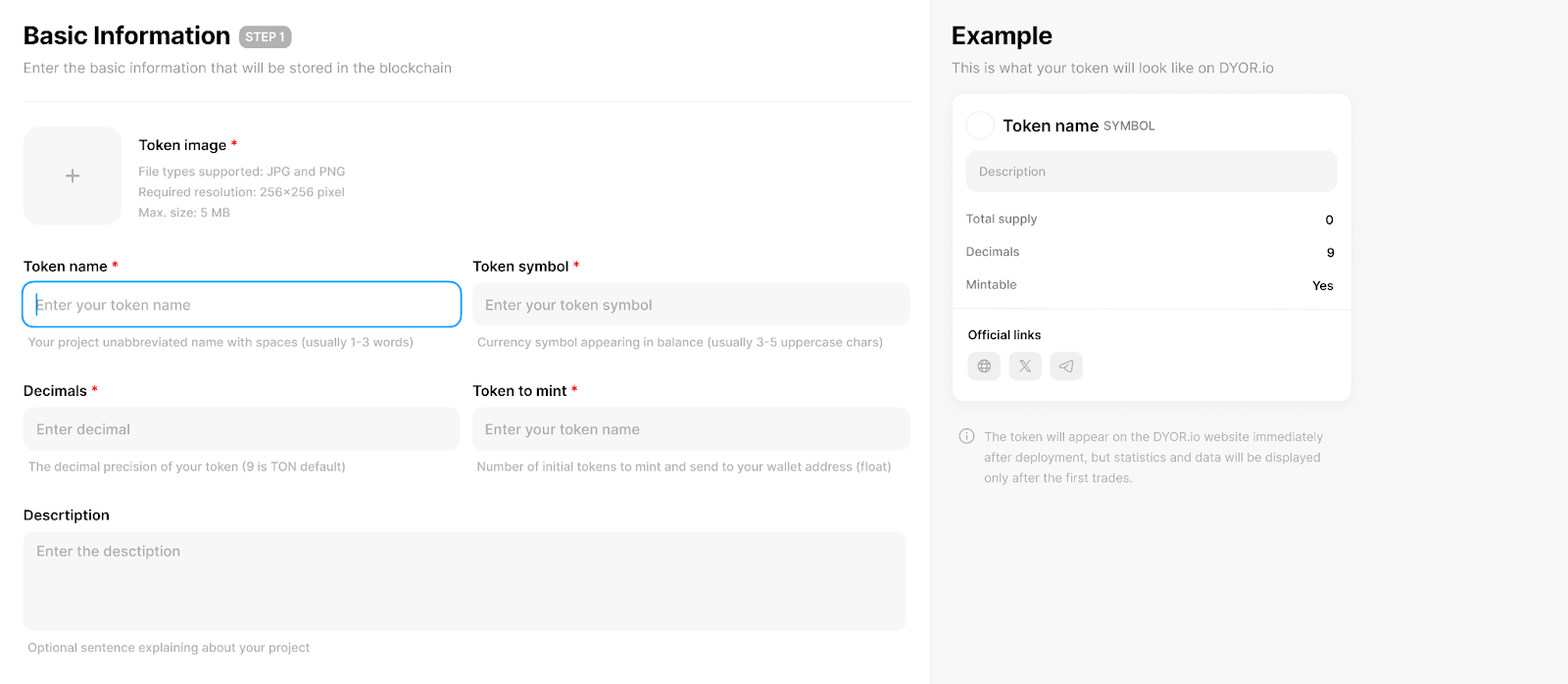 1. **Connect your wallet:** First, connect the wallet that will have administrative rights over the token.
2. **Enter Basic Information:**
* **Token Image:** Upload an image in JPG or PNG format (256x256 pixels, maximum size 5 MB).
* **Token Name:** Enter a descriptive name for your token.
* **Token Symbol:** Specify a short symbol for your token, typically 3-5 uppercase letters.
* **Decimals:** Set the decimal precision (default is 9 for TON).
* **Total Supply:** Define the number of tokens for initial minting.
* **Description:** Provide a brief description of your token's purpose or project.
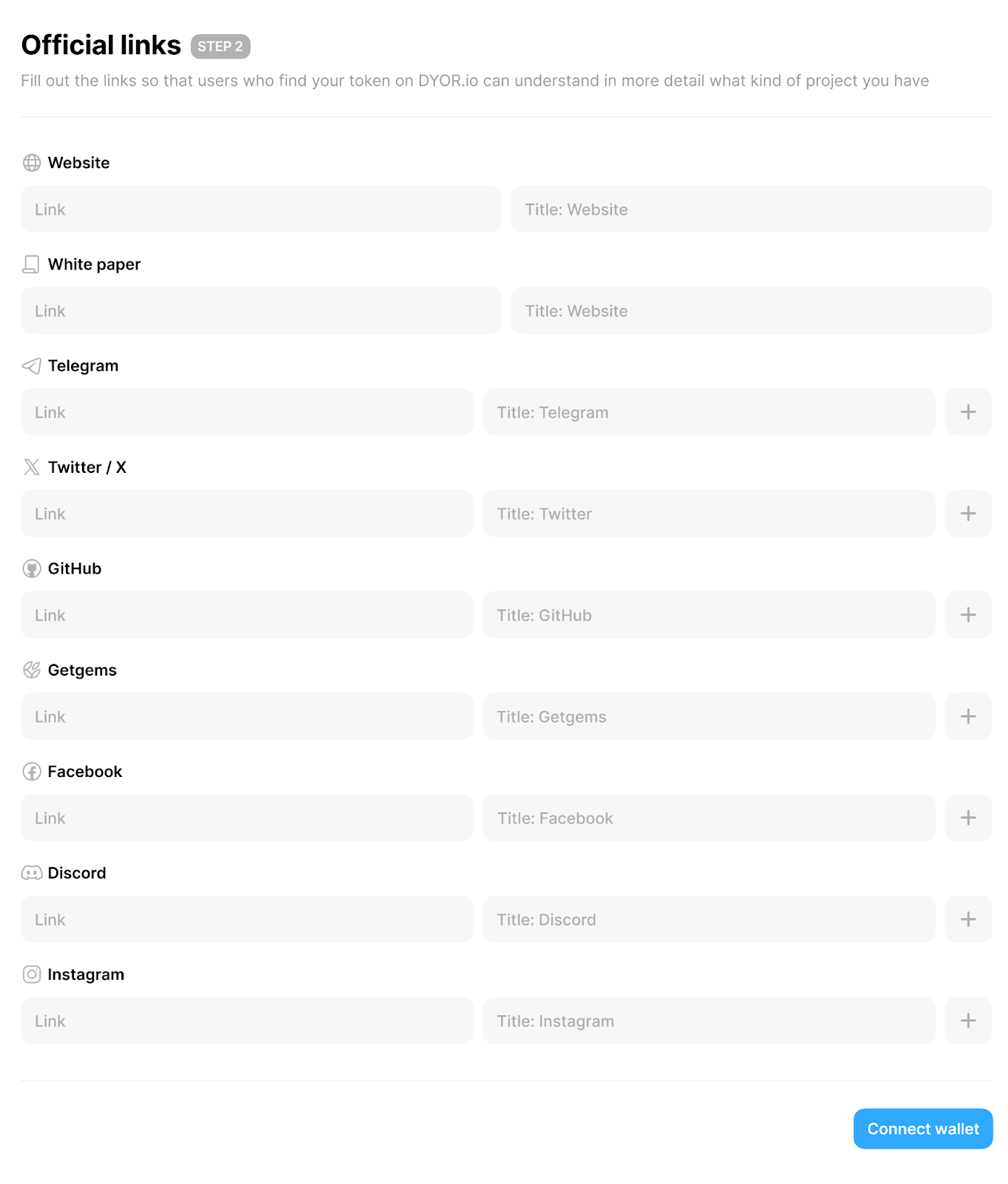
3. **Fill in Official Links:** Provide links to your website, white paper, and social media to enable users to find more information about your token. This information will appear in your token's profile on DYOR.io.
1. **Connect your wallet:** First, connect the wallet that will have administrative rights over the token.
2. **Enter Basic Information:**
* **Token Image:** Upload an image in JPG or PNG format (256x256 pixels, maximum size 5 MB).
* **Token Name:** Enter a descriptive name for your token.
* **Token Symbol:** Specify a short symbol for your token, typically 3-5 uppercase letters.
* **Decimals:** Set the decimal precision (default is 9 for TON).
* **Total Supply:** Define the number of tokens for initial minting.
* **Description:** Provide a brief description of your token's purpose or project.
3. **Fill in Official Links:** Provide links to your website, white paper, and social media to enable users to find more information about your token. This information will appear in your token's profile on DYOR.io.
 ### Step 2: Minting Additional Tokens
1. **Go to the Minting Function:** Find the 'Mint' option in the DYOR Minter interface.
2. **Enter the Amount:** Specify how many additional tokens you want to create.
3. **Confirm the Action:** Execute the minting process, which requires confirmation in the wallet.
### Step 3: Burning Tokens
1. **Go to the Burning Function:** Find the 'Burn' option in the interface.
2. **Specify the Amount:** Enter the number of tokens you wish to remove from circulation.
3. **Perform the Burning:** Confirm and carry out the burning, reducing the total number of tokens.
### Step 4: Revoking Administrative Rights
1. **Prepare:** Ensure all token settings are final, as you won't be able to make changes after revoking rights.
2. **Revoke Rights:** Use the 'Revoke ownership' function to remove administrative privileges, transferring control of the token to a neutral address, thus decentralizing control.
### Step 5: Updating the Token Profile
### Step 2: Minting Additional Tokens
1. **Go to the Minting Function:** Find the 'Mint' option in the DYOR Minter interface.
2. **Enter the Amount:** Specify how many additional tokens you want to create.
3. **Confirm the Action:** Execute the minting process, which requires confirmation in the wallet.
### Step 3: Burning Tokens
1. **Go to the Burning Function:** Find the 'Burn' option in the interface.
2. **Specify the Amount:** Enter the number of tokens you wish to remove from circulation.
3. **Perform the Burning:** Confirm and carry out the burning, reducing the total number of tokens.
### Step 4: Revoking Administrative Rights
1. **Prepare:** Ensure all token settings are final, as you won't be able to make changes after revoking rights.
2. **Revoke Rights:** Use the 'Revoke ownership' function to remove administrative privileges, transferring control of the token to a neutral address, thus decentralizing control.
### Step 5: Updating the Token Profile
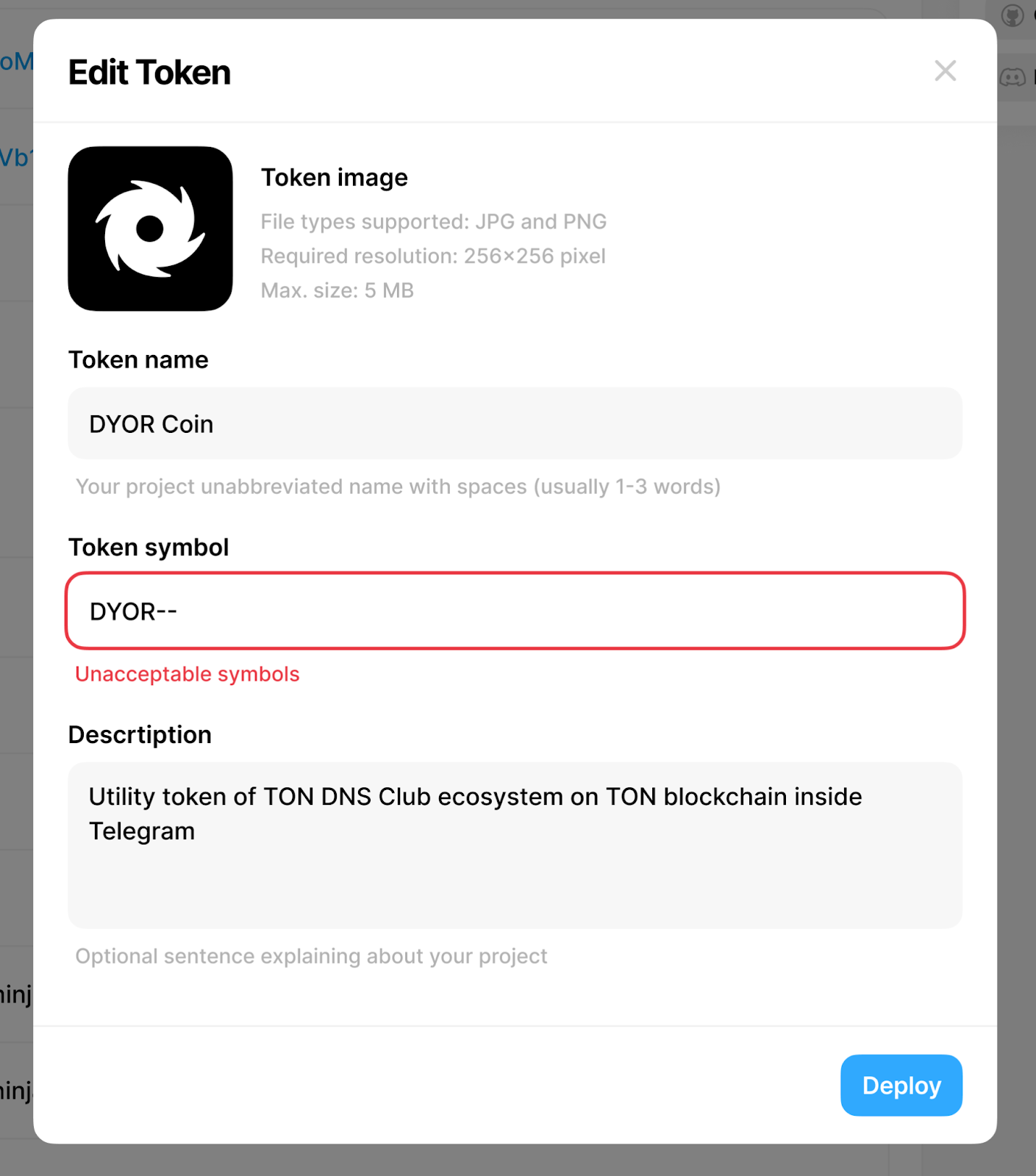
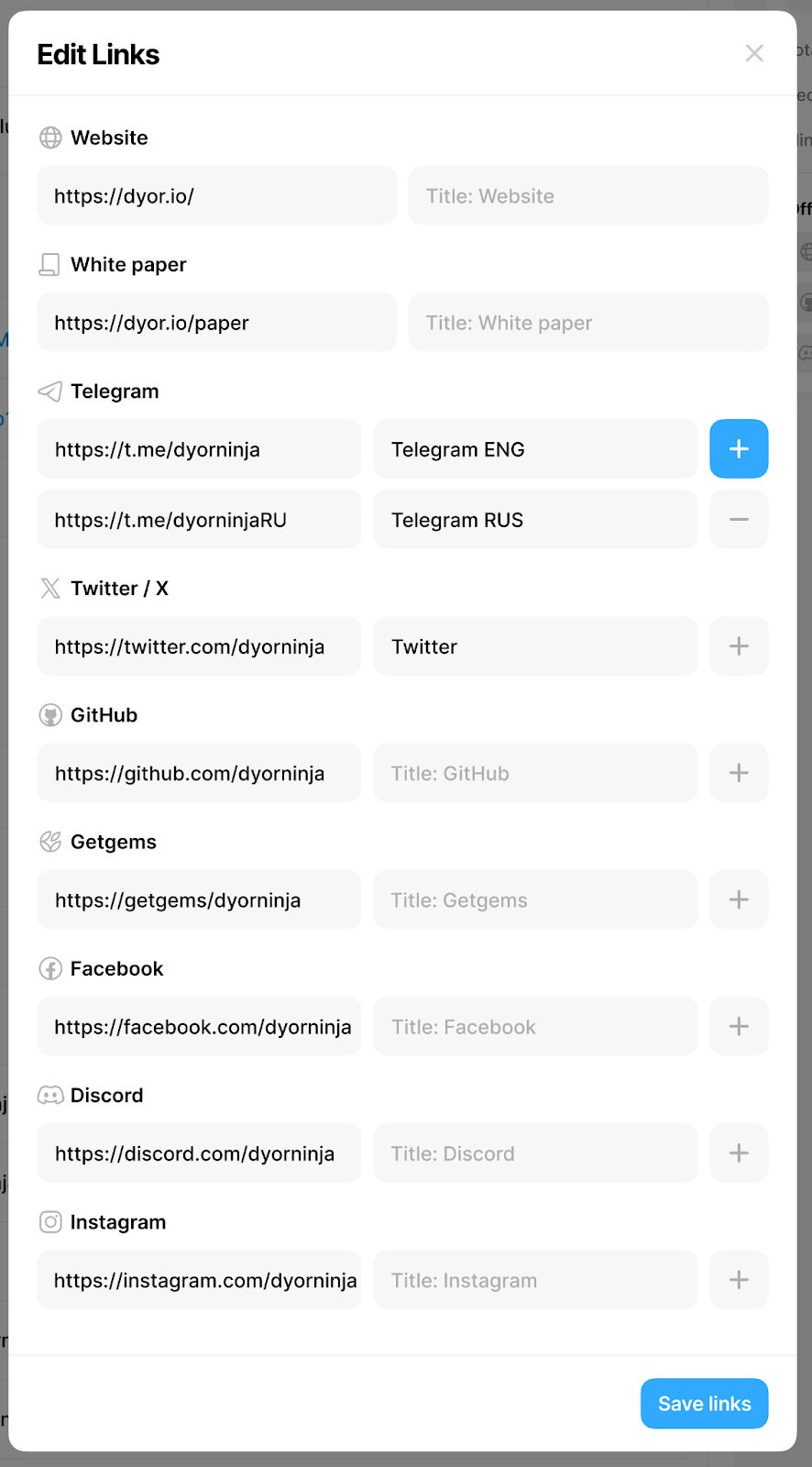 1. **Edit Token Information:** Change details such as the token description, links, and images directly from your DYOR Minter dashboard. Official links can be edited and saved without deployment.
2. **Save Changes:** Updates are applied immediately and displayed on the token page on DYOR.io.
1. **Edit Token Information:** Change details such as the token description, links, and images directly from your DYOR Minter dashboard. Official links can be edited and saved without deployment.
2. **Save Changes:** Updates are applied immediately and displayed on the token page on DYOR.io.